
HP ProLiant DL320 Generation 2 Server Maintenance and Service Guide

Connectors, Switches, and LED Indicators
Rear Panel LED Indicators
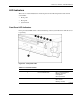
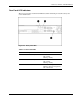
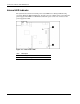
The server rear panel contains three LEDs that allow monitoring of network activity and
server identification.
Figure 4-6: Rear panel LEDs
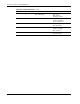
Table 4-7: Rear Panel LEDs
Item Description Status
1 NIC 1 link/activity On = Link
Off = No link
Blinking = Activity
2 NIC 2 link/activity On = Link
Off = No link
Blinking = Activity
3 Rear unit identification LED On = Local management
Blinking = Remote management
Off = Deactivated
HP ProLiant DL320 Generation 2 Server Maintenance and Service Guide 4-9