
HP ProLiant DL185 Generation 5 Server Software Configuration Guide

System BIOS configuration 23
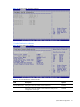
Boot Menu
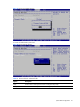
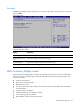
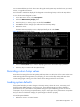
Figure 20 Boot Menu
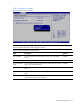
Table 18 Boot Menu fields
Field Description
Boot Device Priority Use this screen to specify the order in which the system checks for a boot device.
Removable Drives Use this screen to view and configure removable drives in the system.
Embedded NIC Port 1
PXE
Use this screen to configure the embedded NIC Port 1 PXE boot option. The default is
enabled.
Embedded NIC Port 2
PXE
Use this screen to configure the embedded NIC Port 2 PXE boot option. The default is
enabled.
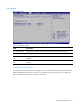
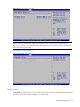
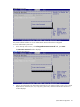
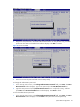
Boot Device Priority submenu
To change the boot order, select a boot category type such as Hard disk drives, Removable media or
ATAPI CD ROM devices from the boot menu. For example, if the 1st boot device is set to Hard disk
drives, then BIOS will try to boot to hard disk drives first.