
HP ProLiant DL185 Generation 5 Server Maintenance and Service Guide
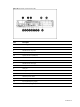
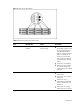
Table Of Contents
- HP ProLiant DL185 Generation 5 Server Maintenance and Service Guide
- Notice
- Contents
- Customer self repair
- Illustrated parts catalog
- Removal and Replacement Procedures
- Connectors, Switches, and LEDs
- Diagnostic tools and Setup Utilities
- Physical and Operating Specifications
- Index
Contents 80
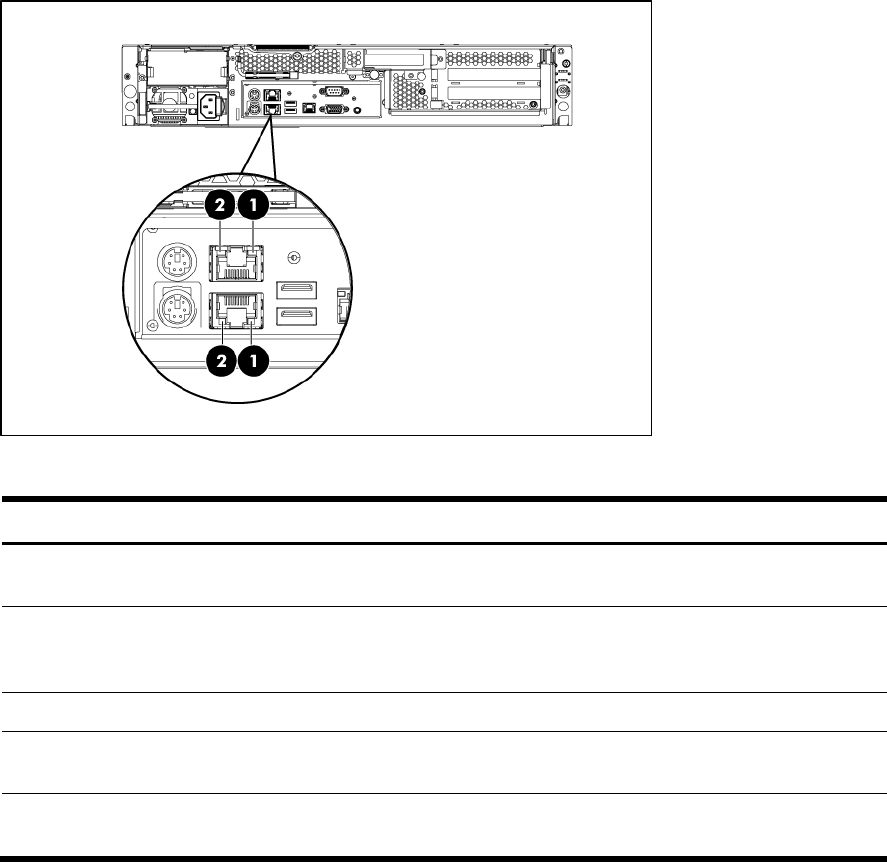
Rear panel LED indicators
The LAN port on the rear panel has two LED indicators that allow monitoring of network activity.
Figure 7 LAN/LED indicators location
Table 7
LAN/LED indicator states
Item Component Status Description
1 LAN network speed LED
indicator
Steady green The LAN connection is
using a GbE link.
Steady amber The LAN connection is
using 10Mbps/100 Mbps
link.
Off No connection.
2 LAN activity status LED
indicator
Flashing green Ongoing network data
activity.
Off No network data activity
or no connection.