
HP ProLiant DL185 Generation 5 Server Maintenance and Service Guide
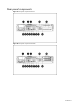
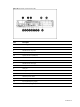
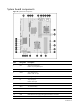
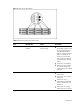
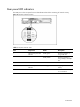
Table Of Contents
- HP ProLiant DL185 Generation 5 Server Maintenance and Service Guide
- Notice
- Contents
- Customer self repair
- Illustrated parts catalog
- Removal and Replacement Procedures
- Connectors, Switches, and LEDs
- Diagnostic tools and Setup Utilities
- Physical and Operating Specifications
- Index

Contents 76
LED Indicators
This section contains illustration and descriptions of internal and external status LED indicators located
on the:
• Front panel
• Rear panel
• System board
These LED indicators aid in problem diagnosis by indicating the status of system components and
operations of the server.
Front panel LED indicators
The front panel LED indicators allow constant monitoring of basic system functions while the server is
operating.
Optical drive activity LED indicator
The optical drive has an activity indicator that indicates when the drive is reading media.
Figure 73 Optical drive activity LED indicator of server with 8 HDD
Activity states for the optical drive are as follows:
• Flashing green – Ongoing drive activity
• Off – No drive activity