
HP ProLiant DL185 Generation 5 Server Maintenance and Service Guide
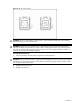
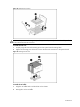
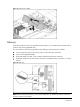
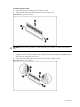
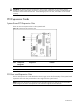
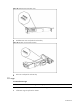
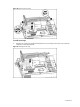
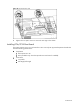
Table Of Contents
- HP ProLiant DL185 Generation 5 Server Maintenance and Service Guide
- Notice
- Contents
- Customer self repair
- Illustrated parts catalog
- Removal and Replacement Procedures
- Connectors, Switches, and LEDs
- Diagnostic tools and Setup Utilities
- Physical and Operating Specifications
- Index
Contents 56
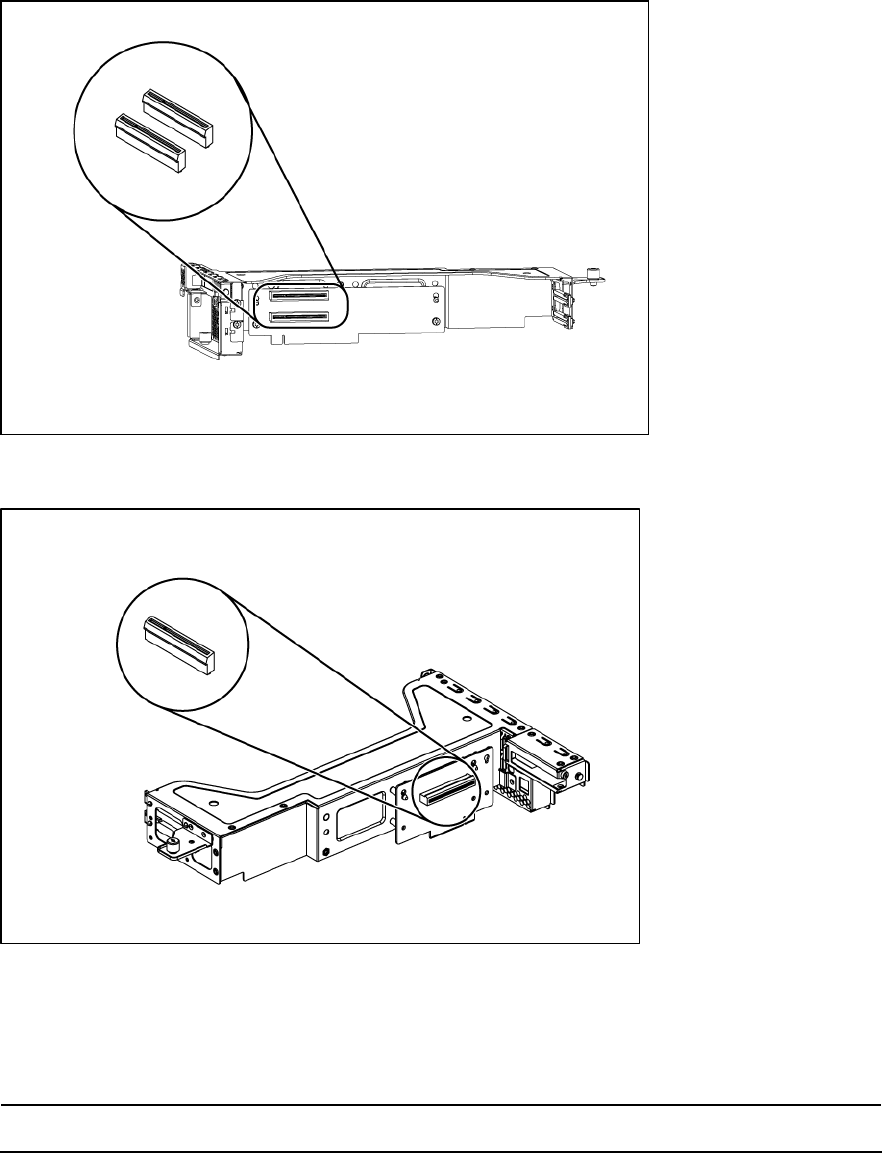
Figure 42 Installing the Dual-slot Riser card
• Dual-Slot PCIe riser card (x8 link with x8 slot)
Figure 43 PCIe Riser card connector location
• PCIe riser card (x4 link with x8 slot)
PCI cage
To remove the PCI cage:
NOTE: Disconnect all cables connecting an existing expansion board to the system board.
1. Loosen the two captive screws that secure the PCI cage to the chassis.
2. Lift the PCI cage away from the chassis.