
ProLiant DL180 Server Maintenance and Service Guide

Diagnostic tools and Setup Utilities 81
Advanced Menu
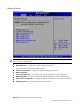
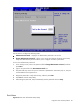
Figure 69 Advanced menu of the BIOS Setup Utility 1
WARNING: Incorrect settings may cause the server to malfunction. To correct the settings, press F9
key to restore the default settings.
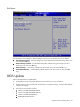
• CPU Configuration --- Configure and view the current CPU configuration and settings.
• IDE Configuration --- Configure the hard disk settings of the server.
View CD-ROM status and SATA hard drive status.
• IO Device Configuration --- Configure the serial port settings of the server.
• AHCI Configuration.
• Event Log Configuration --- View system event log and configure Event Log Configuration.
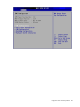
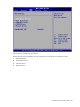
• IPMI Configuration--- Configure the Intelligent Platform Management Interface (IPMI) settings.
• Remote Access Configuration --- Configure the settings when redirect the console to a serial port.
• USB Configuration --- Configure the USB settings of the server.
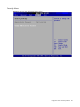
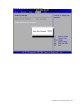
Figure 70 IPMI submenu of the BIOS Setup Utility