
ProLiant DL180 Server Maintenance and Service Guide

Removal and Replacement Procedures 45
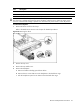
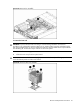
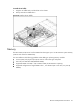
Figure 24 Removing the Air Baffle
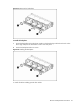
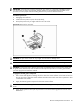
To remove the heat sink:
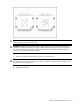
CAUTION: To prevent the heat sink from tilting to one side during installation and removal
procedures, use a diagonally opposite pattern (an “X” pattern) when loosening and tightening the
four spring-loaded screws. Do not over tighten the heat sink’s spring-loaded screws to prevent them
from breaking off. A maximum torque of 4 in-Ib is set for the system.
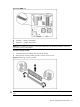
1. Loosen the four mounting pins.
2. Lift the heat sink away from the system board.
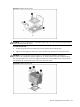
CAUTION: Place heat sink down in an upright position with the thermal patch facing upward. Do
not let the thermal patch touch the work surface.
Figure 25 Removing heat sink assembly