
HP ProLiant DL180 Server Software Configuration Guide



Contents 61
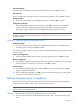
Time Zone Selection
Review the Time Zone Selection setting and modify if necessary, then click OK to continue.
Root Password
Enter a root password consisting of at least six alphanumeric characters, then click OK to continue.
Package Defaults
6. Review the software selection and modify it as necessary, then click OK to continue.
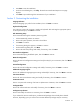
Package Group Selection
7. Review and modify the selection as necessary, then click OK to continue. If you selected the
Custom install option, pre-determined packages have already been selected. However,
depending upon your network environment additional packages may be necessary.
NOTE: Remember to select the appropriate package groups that match your network settings. For
example, the DNS Name Server package may be required if you have set up your new server to be
the DNS controller.
Section 3. Installing Red Hat Enterprise Linux 3
Installation to Begin
8. Once you complete the customization, the installation program asks for confirmation before
proceeding with the install. Click OK to proceed.
You may be prompted to insert the rest of the RHEL3 CD-ROMs, depending on the packages you have
chosen to install.
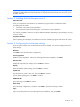
Video Card Configuration
9. ]Select the Matrox G200e option from the list of video hardware, then click OK to continue.
Monitor Configuration
10. The installation program attempts to detect the monitor being used; otherwise, you can find HP
monitor references on the back of your monitor. Click OK to continue.
X Customization
11. Select Text for the default login option, then click OK to continue to the final page. Click OK
again to complete the installation.
12. After completing the installation, click OK to close the installation program. The system reboots
and loads your new Red Hat environment.
Red Hat Enterprise Linux 4 installation
The procedures in this section apply to all versions of the Red Hat Enterprise Linux 4 supported by
your ProLiant server. Refer to Table 19 for a list of these NOS versions.
NOTE: If the system has more than 4 GB of memory, the Red Hat Enterprise Linux installation
requires the pci=nommconf parameter
.
Section 1. Launching the Red Hat Enterprise Linux 4 installer
1. Turn on the server and insert the Red Hat Enterprise Linux 4 CD 1. The system displays a text
menu.