
HP ProLiant DL180 Server Software Configuration Guide

Contents 18
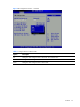
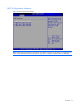
Event Log Configuration submenu
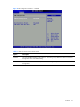
Figure 12 Event Log Configuration submenu
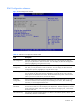
Table 11
Event Log Configuration submenu fields
Field Description Options
View Event Log This option displays the event log. The log displays system event information.
Mark all events
as read
The option marks all events as read.
Clear Event
Log
The option allows the user to clear the event log.
ECC Event
Logging
This setting allows logging of ECC events. This is the default setting Enabled
Set this value to prevent the BIOS from logging of ECC events Disabled