
HP ProLiant DL165 G7 Server Software Configuration Guide


Server management 43
Server management
Pre- and post-installation procedures
Pre-installation procedures
WARNING: Failure to properly turn off the server before you open the server or before you start
removing or installing hardware components may cause serious damage as well as bodily harm.
WARNING: To reduce the risk of personal injury from hot surfaces, allow the chassis and any
installed hardware components to cool before touching them.
WARNING: Enabling this option allows the server to turn on the Drive Write Cache in the ATA hard
drive. This feature will provide greater drive performance but could cause data corruption during an
unexpected power loss or shutdown.
CAUTION: Follow the ESD precautions listed in Chapter 2 of the HP ProLiant DL165 G7 Server
Maintenance and Service Guide when handling any hardware component.
1. Turn off the server and all the peripherals connected to it.
2. Disconnect the AC power cord from the power supply cable located on the server rear panel to
turn off the service processor and reduce the risk of electrical shock.
3. Remove the top cover from the chassis.
a. Loosen the screw on the top cover with a T-10 wrench.
b. Press the latch on the top cover.
c. Slide the cover toward the rear of the server and then lift the top cover to remove it from the
chassis.
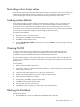
Figure 30 Removing the top cover