
HP ProLiant DL165 G7 Server Software Configuration Guide
System BIOS configuration 36
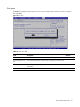
ress F9 to load the system default values.
and to close the Setup Utility.
Flashi
reate a bootable DOS ROMPAQ disk on USB key.
Recording custom Setup values
Write down the settings from the Setup Utility and keep them in a safe place. If the custom values ever
need restoring (after clearing CMOS, for example), you must run the Setup Utility and enter these
custom settings again. Having a record of these custom settings makes this much easier.
Loading system defaults
If the system fails after you make changes in the Setup menus, reboot the server, enter Setup, and
load the system default settings to correct the error. These default settings have been selected to
optimize the server’s performance. Setup default settings are quite demanding in terms of resource
consumption. If you are using low-speed memory chips or other types of low-performance components
and you choose to load these settings, the system might not function properly.
To load the system defaults:
2. Reboot the server in a normal manner.
3. During POST, press F10 to access the Setup Utility.
4. Press F9 to load the default values.
5. Choose Save Changes and Exit on the Exit menu, and press Enter to save the changes and close
the Setup Utility.
Clearing CMOS
You may need to clear the Setup configuration values (CMOS) if the configuration has been
corrupted, or if incorrect settings made in the Setup Utility have caused error messages to be
unreadable. Clearing the CMOS data removes the administrator password.
The clear CMOS setting is on the jumper block (J1-D) on the system board. Refer to the HP ProLiant
DL165 G7 Server Maintenance and Service Guide for the location of this jumper block and the clear
CMOS setting.
To clear CMOS:
1. Perform the pre-installation procedures.
2. If necessary, remove any expansion boards, assemblies, or cables that prevent access to enable
CMOS jumper block (J1-D).
3. Locate the clear CMOS jumper block (J1-D) on the system board.
4. Enable clear CMOS jumper block (J1-D) to clear the CMOS memory.
5. Perform the post-installation procedures.
6. During POST, press F10 to access the Setup Utility.
7. P
8. Set time, date, and other system values.
9. Press F10 to save the changes you made
ng the Bootblock
To flash the bootblock:
1. Run HPQUSB.exe to c