
HP ProLiant DL165 G6 Server Software Configuration Guide



Contents 3
Contents
System BIOS configuration .................................................................................................................... 5
System BIOS overview ................................................................................................................................. 5
AMIBIOS software ...................................................................................................................................... 5
AMIBIOS Setup Utility ................................................................................................................................. 5
Accessing the Setup Utility ...................................................................................................................... 6
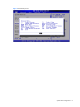
Navigating through the Setup Utility......................................................................................................... 7
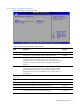
Setup Utility menus ................................................................................................................................. 9
Advanced menu................................................................................................................................... 11
Security menu ...................................................................................................................................... 28
Exit menu ............................................................................................................................................ 31
BIOS Summary Display screen ................................................................................................................... 32
Recording custom Setup values ................................................................................................................... 33
Loading system defaults ............................................................................................................................. 33
Clearing CMOS ....................................................................................................................................... 33
Power-On Self-Test (POST) .......................................................................................................................... 33
POST error indicators ................................................................................................................................ 34
Recoverable POST Errors ...................................................................................................................... 34
POST-related troubleshooting ..................................................................................................................... 36
Reprogramming the BIOS after the ROM disaster ......................................................................................... 37
NOS installation ................................................................................................................................ 38
Supported NOS ........................................................................................................................................ 38
NOS pre-installation procedure .................................................................................................................. 38
Hardware setup ................................................................................................................................... 38
BIOS update ....................................................................................................................................... 39
Installing Microsoft Windows NOS ............................................................................................................. 39
Pre-installation instructions ..................................................................................................................... 39
Installation flow .................................................................................................................................... 39
Section 1. Creating the driver diskettes .................................................................................................. 39
Section 2. Installing Windows NOS ...................................................................................................... 40
Section 3. Completing the installation .................................................................................................... 41
Section 4. Configuring the system .......................................................................................................... 42
Section 5. Configuring the network ........................................................................................................ 44
Section 6. Installing additional HP accessories ........................................................................................ 46
Installing Red Hat Enterprise Linux NOS ...................................................................................................... 46
Installation flow .................................................................................................................................... 46
Pre-installation instructions ..................................................................................................................... 46
Red Hat Enterprise Linux 4 installation .................................................................................................... 46
Red Hat Enterprise Linux 5 installation .................................................................................................... 49
Installing SUSE Linux Enterprise Server NOS ................................................................................................ 51
Installation flow .................................................................................................................................... 51
Pre-installation instructions ..................................................................................................................... 51
SUSE Linux Enterprise Server 9 installation ............................................................................................. 51
SUSE Linux Enterprise Server 10 Installation............................................................................................ 53
Installing Sun Solaris 10 ............................................................................................................................ 54
Pre-installation instructions ..................................................................................................................... 54
Installation flow .................................................................................................................................... 54
Sun Solaris 10 installation .................................................................................................................... 55