
HP ProLiant DL165 G6 Server Software Configuration Guide

System BIOS configuration 26
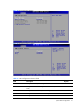
Boot Menu
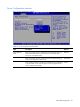
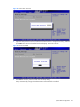
Figure 20 Boot Menu
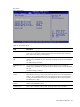
Table 18 Boot Menu fields
Field
Description
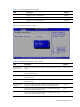
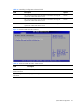
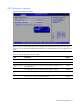
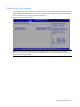
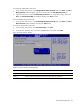
Boot Device Priority Use this screen to specify the order in which the system checks for the device to boot
from. To access this screen, select Boot Device priority on the Boot setup screen and
press <Enter>; the following screen displays.
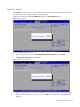
Embedded NIC Port 1
PXE
The option specifies the embedded NIC Port1 PXE, Allows the user to Enable or
Disable of any embedded NIC Ports. Should be one SETUP option for each embedded
NIC Port.
The default setting is Enabled.
Embedded NIC Port 2
PXE
The option specifies the embedded NIC Port2 PXE. Allows the user to Enable or
Disable of any embedded NIC Ports. Should be one SETUP option for each embedded
NIC Port.
The default setting is Disabled.
USB Device Boot
Priority
BIOS Setup option (when set to “Low”) to disallow newly inserted USB devices from
automatically showing up as top priority within their device class in the standard boot
order list. This is needed so that the user can configure the BIOS to avoid attempting
to boot non-bootable USB devices that are left plugged into the server during POST.
The default value is High.
Embedded NIC Port 2
Control
The option specifies the embedded NIC Port 2 Control. Allows the user to Enable or
Disable of embedded NIC Port 2.
Wake-On LAN Set this value will enable wake on LAN. The setting default value is Enabled.