
HP ProLiant DL165 G6 Server Software Configuration Guide

System BIOS configuration 11
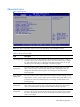
Advanced menu
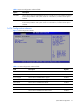
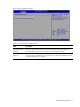
Figure 5 Advanced menu
NOTE: The CPU Configuration setup screen varies depending on the installed processor.
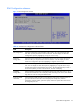
Table 4 Advanced menu fields
Field Description
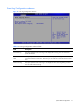
CPU Configuration You can use this screen to select options for the CPU Configuration Settings. Use the up
and down <Arrow> keys to select an item. Use the <Plus> and <Minus> keys to change
the value of the selected option. A description of the selected item appears on the right
side of the screen. The settings are described on the following pages.
IO Device
Configuration
You can use this screen to select options for the I/O settings. Use the up and
down <Arrow> keys to select an item. Use the <Plus> and <Minus> keys to
change the value of the selected option. The settings are described on the
following pages.
Hyper Transport
Configuration
You can use this screen to select options for the Hyper Transport settings. Use the
up and down <Arrow> keys to select an item. Use the <Plus> and <Minus> keys
to change the value of the selected option. The settings are described on the
following pages.
S-ATA
Configuration
You can use this screen to select options for the S-ATA mode settings. Use the up and
down <Arrow> keys to select an item. Use the <Plus> and <Minus> keys to change the
value of the selected option. The settings are described on the following pages.
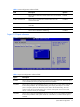
ACPI
Configuration
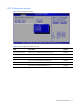
You can use this screen to select options for the AVPI Configuration settings. Use the up
and down <Arrow> keys to select an item. Use the <Plus> and <Minus> keys to change
the value of the selected option. The settings are described on the following pages. The
screen is shown below.