
HP ProLiant DL165 G6 Server Maintenance and Service Guide



Removal and Replacement Procedures 70
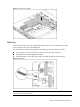
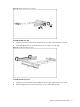
Figure 58 Installing the PCI card (1)
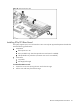
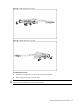
Figure 59 Installing the PCI card (2)
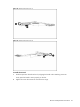
To reinstall the PCI cage:
1. Installing the PCI riser card into the system.
a. Align the PCI card with the open expansion slot.
b. Press the PCI card straight down into the expansion slot on the system board.
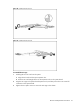
2. Align the PCI cage to the system board expansion slot, and then press it down to ensure full
connection to the system board.
3. Tighten the two captive screws to secure the PCI cage to the chassis.