
HP ProLiant DL165 G6 Server Maintenance and Service Guide



Removal and Replacement Procedures 68
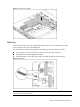
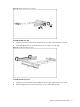
Figure 54 Installing the PCIe riser card (1)
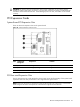
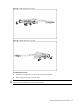
Figure 55 Installing the PCIe riser card (2)
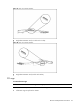
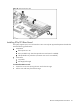
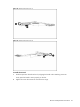
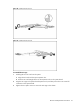
To remove the slot cover:
1. Loosen the screw(s) that secure(s) the slot cover(s) to the chassis.
2. Remove the slot cover(s) on the PCI cage.
CAUTION: Do not discard the slot cover. If the expansion board is removed in the future, the slot
cover must be reinstalled to maintain proper cooling.