
HP ProLiant DL165 G6 Server Maintenance and Service Guide



Removal and Replacement Procedures 67
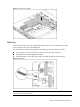
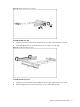
Figure 52 Removing the PCIe riser card (2)
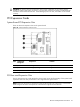
To install the HTX riser card:
1. Align the two riser card slots to the standoff on the PCI cage, and then push the card up.
2. Install and tighten the two screws that secure the riser card to the PCI cage.
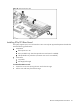
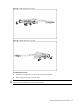
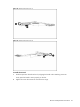
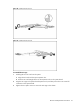
Figure 53 Installing the HTX riser card
To install the PCIe riser card:
1. Align the two riser card slots to the standoff on the PCI cage, and then push the card up.
2. Install and tighten the two screws that secure the riser card to the PCI cage.