
HP ProLiant DL165 G6 Server Maintenance and Service Guide



Removal and Replacement Procedures 65
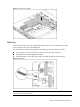
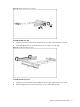
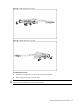
Figure 49 Removing the PCI cage
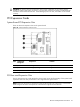
Installing PCIe/PCI Riser Board
The system supports up to two riser boards at a time. Use only HP supported expansion boards that
meet the following specifications:
• Compliance
○ PCI Express x4 or x8
○ PCI-X (available only when the optional PCI-X riser board is installed)
○ HTX (available only when the FL/FH PCIe riser card is not installed)
• Form Factor
○ Low-profile
○ Full-Height/Full-Length
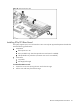
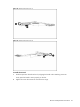
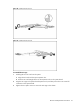
To remove the HTX riser card:
1. Loosen the two screws securing the riser card to the PCI cage.
2. Pull the riser card away from the PCI cage.