
HP ProLiant DL165 G6 Server Maintenance and Service Guide




Removal and Replacement Procedures 46
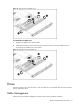
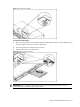
Figure 17 Removing the Bezel Blank
To install the optical drive:
1. Slide the optical drive assembly into the chassis.
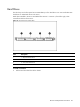
Figure 18 Installing the optical drive
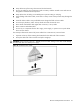
2. Remove the middle cover and connect the IDE data and power cables to their corresponding
connectors on the optical drive.