
HP ProLiant Lights-Out 100 Remote Management User Guide for HP ProLiant ML110 G5, ML115 G5, DL120 G5, ML150 G5, DL160 G5, DL165 G5, DL1809 G5, DL185 G5, and SL165z G6 Servers



Using LO100 60
Linux telnet client. Likewise, if you are running a Windows® CMS, run Windows on your workstations,
and use a Windows® Telnet client.
If you run multiple operating systems in your environment, an application limitation issue might occur. For
example, running Linux on your servers and using a Windows® Telnet client or PuTTY might cause an end
of line character issue. If you experience issues, do one the following:
• For a Windows® Telnet client to Linux console redirection configuration, make sure Windows®
Telnet sends a CR for the line feed. To set CR, use the following command for Windows® Telnet:
unset crlf
• For applications such as PuTTY with Linux redirection:
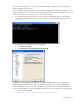
a. Click Connection>Telnet.
b. Clear Return key sends Telnet New Line instead of ^M.
LO100 has a default of 0x08 (input) and 0x03 (output) filter setting that must not be changed. If the
default settings are changed, functionality issues might occur and you must restore the default settings.
After the defaults are reset, you must log out and back in to the shell to restore normal functionality. To
restore the default settings, use the following IPMI commands for your environment and operating system:
• To set telnet inbound to 0x08:
o CLP: oemhp I 20 c0 20 18 00 29 01 00 00 02 00 08 b4