
HP ProLiant DL165 G5p Server Software Configuration User Guide

System BIOS configuration 36
6.
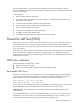
Set the jumper over the middle and right pins to enable the boot block, which forces the server to
boot from the floppy drive.
7. If the DIMM1 and DIMM2 memory slots are empty, move the installed memory in slots DIMM3
and DIMM4 to slots DIMM1 and DIMM2.
8. Perform all of the post-installation procedure except step 4; do not reinstall the top cover of the
server.
9. When the server begins reading the floppy disk, reinstall the crisis recovery jumper over the left
and middle pins. The system reprograms the BIOS from the floppy disk and then reboots
normally with the reprogrammed BIOS.
10. If you did not move memory modules in step 7, perform step 4 of the post-installation procedures
to reinstall the top cover of the server. If you did move memory modules in step 7, move the
memory modules back to their original locations:
a. Perform the pre-installation procedures.
b. Move the memory modules installed in slots DIMM1 and DIMM2 to their original locations in
slots DIMM3 and DIMM4.
c. Perform the post-installation procedures.