
HP ProLiant DL165 G5p Server Software Configuration User Guide

System BIOS configuration 35
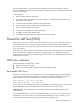
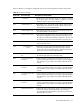
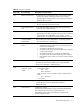
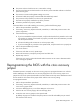
• The power outlet to which the server is connected is working.
• The server and monitor are both turned on. The bicolor power status LED indicator on the front
panel must be green.
• The monitor's contrast and brightness settings are correct.
• All internal cables are properly connected and all boards firmly seated.
• The processor is fully seated in its socket on the system board.
• The heat sink is properly installed on top of the processor.
• All memory modules are properly installed.
If the POST failure occurs after installing an accessory, perform the following steps:
1. Perform the pre-installation procedure.
2. If necessary, remove any expansion boards, assemblies, or cables that prevent access to the
system components.
3. Check the following conditions:
a. If you have installed an expansion board, verify that the board is firmly seated in its slot and
any switches or jumpers on the board are properly set. Refer to the documentation provided
with the expansion board.
b. All internal cabling and connections are in their proper order.
c. If you have changed any switches on the system board, verify that each one is properly set.
4. Perform the post-installation procedure.
5. Turn on the monitor.
6. If the server still does not work, repeat step 2.
7. Remove all accessories, except the primary boot hard disk drive.
8. Repeat steps 4 and 5.
If the server now works, replace the boards and accessories one at a time to determine which
one is causing the problem.
Reprogramming the BIOS with the crisis recovery
jumper
If the BIOS becomes corrupted, use the crisis recovery jumper to reprogram the BIOS. You will also
need a USB floppy drive and the HP crisis recovery floppy disk. The crisis recovery jumper is on
jumper block P9 on the system board. Refer to the HP ProLiant DL165 G5p Server Maintenance and
Service Guide for the location of this jumper block and the crisis recovery setting.
To reprogram the BIOS:
1. Perform the pre-installation procedures.
2. If necessary, remove any expansion boards, assemblies, or cables that prevent access to the
crisis recovery jumper block.
3. Connect a USB floppy drive to one of the USB ports on the server.
4. Insert the HP crisis recovery floppy disk into the floppy drive.
5. Locate the crisis recovery jumper on the system board.
By default, the jumper is installed in the park position on the left and middle pins (as viewed
from the front of the server).