
HP ProLiant DL165 G5p Server Software Configuration User Guide






System BIOS configuration 18
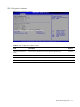
Figure 12 SEL Configuration submenu
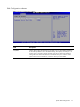
Table 10 SEL Configuration submenu fields
Field Description
View BMC System
Event Log
The option specifies BMC system event log. Select this option and press <Enter> to access
the sub menu you can view the contents of System Event log.
Clear BMC System
Event Log
The option specifies clear system event log. If the BMC Event log is full, you can choose
this item to clear out the BMC Event log. If this option is selected, a confirmation prompt
will appear before the log is cleared.
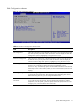
Figure 13 Serial Port Configuration submenu