
HP ProLiant DL165 G5p Server Software Configuration User Guide






System BIOS configuration 16
Log Configuration submenu
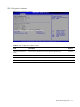
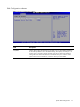
Figure 10 Event Log Configuration submenu
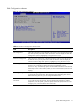
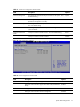
Table 8 Event Log Configuration submenu fields
Field Description
View Event log The option specifies View event log, it will display the event log. You can read some
system information.
Mark all events as
read
The option specifies mark all events as read, it will display the dialog windows to allow
you mark all events as read now. There are you can select ok to mark all events as
read now.
Clean Event log The option specifies clean event log, it will display the clean event log dialog windows.
You can select clean event log.