
HP ProLiant DL165 G5p Server Maintenance and Service Guide


Contents 90
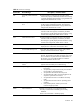
Table 12 POST Error Message
Error-Code Error Message Description / Corrective Action
0202
CPU mismatch detected!
Fatal Error…System Halted.
The Error Message will be display when install two CPU
on motherboard as follow:
Slot I : NPT
Slot II : Barcelona
Note: The server can’t boot if install two CPU on
motherboard as follow:
Slot I : Barcelona
Slot II :NPT
0210 Stuck key Stuck key on keyboard.
1 Locate the stuck key on your keyboard and release it.
2 Reboot the server.
0211 Keyboard error Keyboard not working.
Verify that the keyboard cable is securely connected to the
keyboard port (not the mouse port) on the rear panel of the
server.
If the problem persists, replace the keyboard or contact your
HP Customer Support provider.
0212 Keyboard Controller Failed Keyboard controller failed test.
0220 Monitor type does not match
CMOS - Run SETUP
The attached monitor cannot be correctly identified by Setup.
Run Setup and check if the monitor type is correctly identified.
0250 System battery is dead -
Replace and run SETUP
The CMOS clock battery indicator shows the system battery is
dead.
3 Replace the system battery following the procedures in the
HP ProLiant DL165 G5p Server Maintenance and Service
Guide.
4 Run Setup to reconfigure the system.
0251 System CMOS checksum bad
- Default configuration used
The settings in the Setup Utility have been corrupted or
modified
incorrectly, perhaps by an application program that changes
data
stored in CMOS. You can either:
• Load the system default values following the procedures on
page 31.
• Access Setup and enter your own custom values.
If the error persists, check the system battery or contact your HP
Customer Support provider.
0260 System timer error The timer test failed. Requires repair of the system board.
0270 Real time clock error Real-Time Clock (RTC) fails BIOS hardware test. May require
board repair.
0271 Check date and time settings BIOS found date or time out of range and reset the RTC. May
require setting legal date (1991-2099). Access Setup and
check the values in the System Time and System Date fields of
the Main menu.