
HP ProLiant DL165 G5p Server Maintenance and Service Guide


Contents 65
NOTE: Disconnect all cables connecting an existing expansion board to the system board.
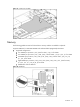
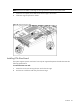
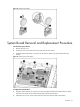
1. Loosen the two captive screws that secure the PCI cage to the chassis.
2. Lift the PCI cage away from the chassis.
Figure 47 Removing the PCI cage
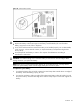
Installing PCIe Riser Board
The system supports up PCIe riser board. Use only HP supported expansion boards that meets the
following specifications:
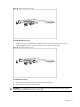
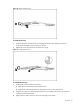
To remove the PCIe riser card:
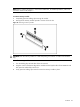
1. Loosen the two screws securing the riser card to the PCI cage.
2. Push the riser card down and away from the PCI cage.