
HP ProLiant DL165 G5p Server Maintenance and Service Guide

Contents 55
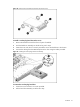
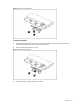
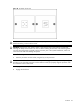
Figure 32 Removing the backplane
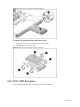
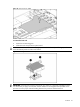
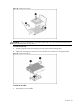
To install the backplane:
1. Orient the backplane so that the notches on the board align with the two hooks on the drive
cage and press the board down until it clicks into place.
2. Secure the backplane with two screws.
Figure 33 Installing the backplane
3. Install all cables including optical drive cables.