
HP ProLiant DL160se G6 Server Software Configuration Guide


System BIOS configuration 34
Exit menu
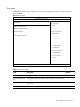
The Exit menu displays several options for how to quit the Setup Utility. Select any of the exit options
and press
Enter.
Figure 18 Exit menu
ROM-based Setup Utility
Main Advanced Boot Security <Exit>
Exit Options
Exit system setup
after saving the
Save Changes and Exit
changes.
Discard Changes and Exit
Discard Changes F10 key can be used
for this operation.
Restore Default Settings
←→ Select Screen
↑↓ Select Item
Enter Go to Sub Screen
F1 General Help
F10 Save and Exit
ESC Exit
V02. 61 (C) Copyright 1985-2006, American Megatrends, Inc.
Table 19 Exit menu fields
Field Description Options
Save Changes and Exit Save the changes made and exit the BIOS Setup Utility.
Discard Changes and
Exit
Exit the BIOS Setup utility without saving any changes you have made.
Discard Changes Discard (cancel) any changes you have made. Remain in the BIOS
Setup Utility.
Restore Default Settings Restore Default Settings.