
HP ProLiant DL160se G6 Server Software Configuration Guide

System BIOS configuration 27
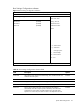
Boot menu
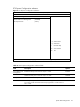
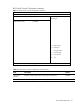
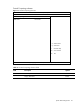
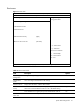
Figure 13 Boot menu
ROM-based Setup Utility
Main Advanced <Boot> Security Exit
Boot Settings
Configure Settings
during System Boot.
> Boot Settings Configuration
>Standard Boot Order
>Hard Disk Drives
USB Device Boot Priority [High]
Restore on AC Power Loss [Last State]
←→ Select Screen
↑↓ Select Item
Enter Go to Sub Screen
F1 General Help
F10 Save and Exit
ESC Exit
V02. 61 (C) Copyright 1985-2006, American Megatrends, Inc.
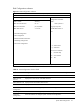
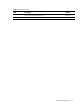
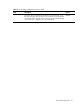
Table 14 Boot menu fields
Field Description Options
Boot Settings
Configuration
Configure settings during system boot.
Standard Boot
Order
View and configure standard boot order settings.
Hard Disk Drives Display HDD information if detect HDD installed.
USB Device Boot
Priority
Force USB devices automatically showing up as top priority within their
device class in the standard boot order list. This is the default setting.
High
Train USB devices as original priority as the standard boot order list. Low
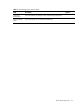
Restore on AC
Power Loss
Power off the server after power loss. Power off