
HP ProLiant DL160se G6 Server Software Configuration Guide


System BIOS configuration 22
PCI Express Configuration submenu
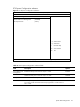
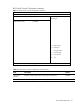
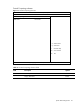
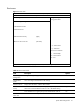
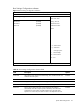
Figure 9 PCI Express Configuration submenu
ROM-based Setup Utility
<Advanced>
PCI Express Configuration
Active State Power-Management [Disabled]
PCI Express Gen2 [Gen2]
←→ Select Screen
↑↓ Select Item
F1 General Help
F10 Save and Exit
ESC Exit
V02. 61(C) Copyright 1985-2006, American Megatrends, Inc.
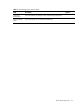
Table 10 PCI Express Configuration submenu fields
Field Description Options
Active State Power
Management
Enable the PCIE ports to enter L0s and/or L1 states. Enabled
Disable the PCIE ports to enter L0s and/or L1 states. Disabled
PCI Express Gen2 All PCI-E devices will only run in Gen 1 mode. Gen 1
For best possible performance. PCI-E devices that support Gen 2 mode will
run in Gen 2 mode. PCI-E devices that only support Gen 1 mode will run in
Gen 1 mode.
Gen 2