
HP ProLiant DL160 Generation 5 Server Software Configuration Guide

System BIOS configuration 37
NOS installation
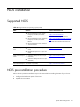
Supported NOS
Table 18
Supported network operating systems (NOS)
NOS Version On-line information site
Microsoft Windows
• Microsoft Windows Server 2003—
Enterprise, Standard, and Web
Editions
• Microsoft Windows Server 2003 R2—
Enterprise, Standard, and Web
Editions
• Microsoft Windows Server 2003 for
32-bit and 64-bit
Microsoft World Wide Web:
http://www.microsoft.com
Microsoft Product Support Services:
http://www.support.microsoft.com/direct
ory
Microsoft Software BBS: 206-936-6735
Red Hat Enterprise
Linux
• Red Hat Enterprise Linux 4 (32- and
64-bit)
• Red Hat Enterprise Linux 5 (32- and
64-bit)
http://www.redhat.com
SUSE Linux Enterprise
Server
• SUSE Linux Enterprise Server 9 (32-
and 64-bit)
• SUSE Linux Enterprise Server 10 (32-
and 64-bit)
http://www.novel.com/linux
Sun Solaris Enterprise Sun Solaris 10 (64-bit)
http://www.sun.com/solaris
NOS pre-installation procedure
Perform the two pre-NOS installation steps in this section before installing the NOS of your choice.
1. Configure the hardware aspect of the server.
2. Update the server BIOS.