
HP ProLiant DL160 Generation 5 Server Software Configuration Guide






System BIOS configuration 24
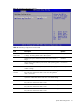
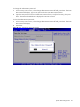
USB Configuration submenu
Figure 16 USB Configuration submenu
NOTE: When you install USB storage, USB Mass Device Configuration items are displayed. From
this item, you can get some information about the device, some information you can configure it if
needed.
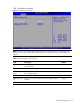
Table 14 USB Configuration submenu fields
Field Description Options
USB Controller This setting allows the use of the USB function. The setting default
value is Enabled.
Enabled
This setting makes the onboard USB function unavailable. Disabled
USB 2.0 Controller
Mode
This setting allows the use of USB ports transfer data in 480 Mbps.
This is the default setting
HiSpeed
This setting allows the use of USB ports transfer data in 12Mbps. FullSpeed
BIOS EHCI Hand-
Off
Set this value to support the EHCI-off. The setting default value is
Enabled.
Enabled
Set this value to not allow support the EHCI-off. Disabled