
HP ProLiant DL160 Generation 5 Server Software Configuration Guide




System BIOS configuration 19
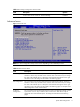
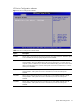
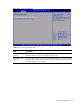
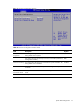
Figure 11 Serial Port Configuration submenu
Table 10
Serial Port Configuration submenu fields
Field Description Options
Serial Port
Assignment
This setting will assign the serial port connector to the system. The
setting default value is System.
System
This setting will assign the serial port connector to the BMC (Baseboard
management controller).
BMC
Serial Port Switching This setting allows the Serial port switch between system and BMC. The
setting default value is Enabled.
Enabled
This setting will prevent the Serial port from switching between system
and BMC.
Disabled
Serial Port
Connection Mode
Serial port connection mode is Direct. The setting default value is
Direct.
Direct
Serial port connection mode is Modem Modem