
HP ProLiant DL160 Generation 5 Server Software Configuration Guide




System BIOS configuration 12
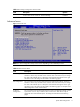
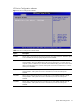
Table 4 Advanced menu fields
Field Description
ACPI
Configuration
Use this screen to select options for the ACPI Configuration settings.
IPMI Configuration Select this option and press <Enter> to access the submenu. You can use the submenu to
view the contents of IPMI .A delay may be noticed when selecting IPMI. This is due to the
retrieval of sensor data .In the submenu, use the up and down <Arrow> keys to select an
item. Use the <Plus> and <Minus>keys to change the value of the selected option.
USB Configuration These items control various USB devices. From the USB configuration screen, press
<Enter> to access the submenu for the USB controller and USB 2.0 controller. Use the up
and down <Arrow> keys to select an item. Use the <plus>and <minus> keys to change
the value of the selected option. The settings are described on the following pages.
Event Log
Configuration
Perform event log configuration from this configuration screen.
Remote Access
Configuration
You can use this screen to select options for the Remote Access Configuration Settings.
Use the up and down <Arrow> keys to select an item. Use the <Plus> and <Minus> keys
to change the value of the selected option. A description of the selected item appears on
the right side of the screen. The settings are described on the following pages.
PCI BUS
Configuration
You can use this screen to select options for PCI Express Devices. For Gen 1, the data
transfer rate for PCI Express Devices is 2.5 GHz, and for Gen 2 the data transfer rate for
PCI Express Devices is 5 GHz.