
HP ProLiant DL160 Generation 5 Server Maintenance and Service Guide

Diagnostic tools and setup utilities 85
Boot menu
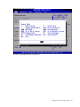
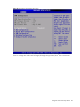
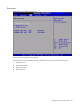
Figure 75 Boot menu of the BIOS setup utility
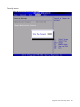
Use this menu to configure the boot priority.
Set boot device priority. By default, the server searches for boot devices in the following order:
1. CD/DVD Drives.
2. Removable Devices.
3. Hard Disk Drives.
4. Network Drives.