
HP ProLiant DL160 Generation 5 Server Maintenance and Service Guide

Removal and replacement procedures 56
if processor 1 fails, the system will automatically boots from processor 0 and provides a processor
failure message.
The processor socket supports 2P Intel Harpertown series processor
CAUTION: It is recommended to use processors of same speeds or cache sizes to prevent possible
server malfunction.
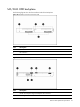
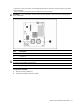
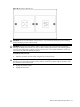
Figure 34 Processor locations
Item Description
1 Processor 1
2 Processor 0
WARNING: To reduce the risk of personal injury from hot surfaces, allow the heat sink and the
processor to cool before touching them.
NOTE: Before installing the processor, remove the air baffle.
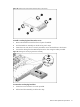
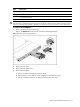
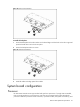
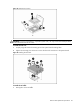
To remove the air baffle:
1. Gently rock the air baffle up.
2. Take the air baffle out from the chassis.