
HP ProLiant DL160 Generation 5 Server Maintenance and Service Guide

Removal and replacement procedures 52
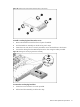
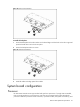
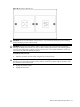
Figure 27 Removing the non-hot-plug hard drive assembly
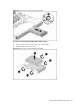
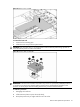
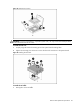
To remove a non-hot-plug hard drive disk from the carrier:
1. Loosen the four screws on the carrier (two on each side).
2. Lift the hard drive from the carrier.
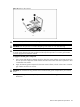
Figure 28 Removing the non-hot-plug hard drive assembly