
HP ProLiant DL160 Generation 5 Server Maintenance and Service Guide

Removal and replacement procedures 42
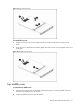
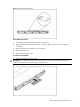
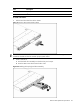
Figure 11 Removing the Top Middle Cover
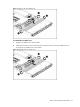
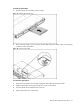
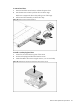
To reinstall the top middle cover:
1. Align the top middle cover to the chassis.
2. Fasten the four screws (one on each side of the chassis and two on the top middle cover) to
securing the top middle cover to the chassis.
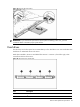
Figure 12 Reinstalling the top middle cover