
ProLiant DL145 Server User Guide


Hardware Options Installation
4-10 HP ProLiant DL145 Server User Guide
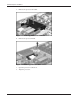
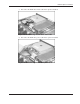
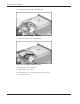
8. Connect the power cable to the DVD drive.
Figure 4-14: Connecting the power cable
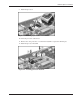
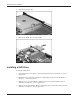
9. Connect the data cable to the DVD drive.
Figure 4-15: Connecting the data cable
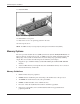
10. Reinstall the chassis stiffener.
11. Reinstall the access panel.
12. Restore the server to its operating position in the rack.
13. Power up the server.