
ProLiant DL145 Server Maintenance and Service Guide




Removal and Replacement Procedures
7. Disconnect the cables from the drive.
Figure 2-13: Disconnecting the cables from the drive
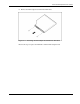
8. Remove the drive from the drive tray.
Figure 2-14: Removing the drive from the drive tray
IMPORTANT: To simplify the installation of the drive, connect the cables to the drive before installing
the drive in the server.
Reverse the steps to replace a disk drive.
HP ProLiant DL145 Server Maintenance and Service Guide 2-15