
ProLiant DL145 Server Maintenance and Service Guide




Removal and Replacement Procedures
DVD Drive
To remove the DVD drive and the DVD adapter board:
1. Power down the server. Refer to “Powering Down the Server” ea rlier in this chapter.
2. Extend the server from the rack. Refer to “Extending the Server from the Rack” earlier in
this chapter.
3. Remove the access panel. Refer to “R emoving the Access Panel” earlier in this chapter.
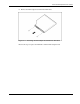
4. Remove the retainer clip.
Figure 2-9: Removing retainer clip from the DVD drive
5. Disconnect the cables and remove the DVD drive.
Figure 2-10: Removing a DVD drive
2-12 HP ProLiant DL145 Server Maintenance and Service Guide