
ProLiant DL145 Generation 3 Server Maintenance and Service Guide

Removal and replacement procedures 9
Removal and replacement procedures
This chapter provides subassembly and module-level removal and replacement procedures for the HP ProLiant
DL145 Generation 3 server.
Review the specifications of a new component before installing it to make sure it is compatible with the server.
When you integrate new components into the system, record its model and serial number and any other pertinent
information for future reference. After completing any removal or replacement procedure, run the diagnostics
program to verify that all components operate properly.
Hardware configuration tools
When performing any hardware configuration procedure, you may need the following tools:
• T-15 Torx screwdriver
• Flat-blade screwdriver
• L-shaped wrench (ships with the server)
The following references and software tools may also be used:
• HP ProLiant DL145 Generation 3 Server Support CD
• IPMI Event Log
• Diagnostics software
NOTE: The figures used in this chapter to illustrate procedural steps are labeled numerically (1, 2, 3, and
so on). When these figures are used in substep items, the alphabetically labeled instructions correspond
to the numbered labels on the related figure (label 1 corresponds to step a, label 2 corresponds to step
b, and so on).
The procedures described in this chapter assume that the server is out of the rack and is positioned on a flat,
stable surface.
Hardware configuration warnings
Read the following sections before performing any servicing or troubleshooting procedure.
WARNING! Only authorized technicians trained by HP should attempt to repair this equipment. Because of the
complexity of the individual boards and subassemblies, no one should attempt to make repairs at the
component level or to make modifications to any printed wiring board. Improper repairs can create a safety
hazard.
CAUTION: Whenever installing hardware or performing maintenance procedures requiring access to internal
components, it is recommended that all server data be backed up to avoid loss.
Symbols on equipment
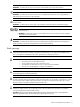
These symbols may be located on equipment in areas where hazardous conditions may exist.
WARNING! This symbol, in conjunction with any of the following symbols, indicates the presence of a
potential hazard. The potential for injury exists if warnings are not observed. Consult your documentation for
specific details.
This symbol indicates the presence of hazardous energy circuits or electric shock hazards. Refer all servicing to
qualified personnel.
WARNING! To reduce the risk of injury from electric shock hazards, do not open this enclosure. Refer all
maintenance, upgrades, and servicing to qualified personnel.
This symbol indicates the presence of electric shock hazards. The area contains no user or field serviceable