
ProLiant DL145 Generation 3 Server Maintenance and Service Guide

Removal and replacement procedures 58
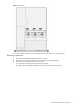
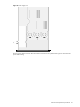
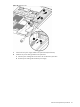
Figure 69 Removing the PSU
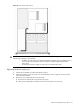
6. Install the new PSU:
CAUTION: Do not overtighten the screws or they may break. A maximum torque of 7 ± 1 is set for the
system.
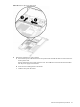
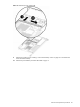
a. Place the front of the new PSU in the PSU section of the chassis while raising the rear of the PSU above
the power supply mounting pins, then slide the PSU toward the front of the server and over the power
supply mounting pins.
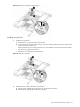
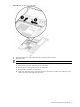
b. Lower the rear of the PSU into the chassis, then slide the PSU toward the rear of the server until it
touches the mounting bracket.
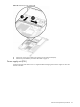
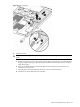
c. Secure the PSU to the mounting bracket with the two screws you removed in step 5.
d. Connect the AC power cable to the rear of the PSU.