
ProLiant DL145 Generation 3 Server Maintenance and Service Guide

Removal and replacement procedures 52
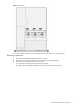
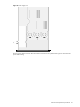
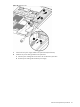
Figure 62 Removing the power cable guide
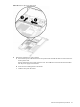
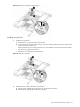
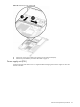
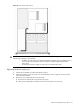
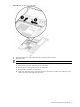
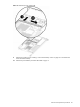
4. Remove the system fan you want to replace:
a. Disconnect the power cable of the fan from the system board and slide the cable out of the notch in the
chassis partition wall.
The fan closest to the power supply connects to P47. The middle fan connects to P48. The fan farthest
from the power supply connects to P49.
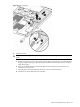
b. Loosen the screw holding the fan to the chassis.
c. Lift the fan away from the chassis.