
ProLiant DL145 Generation 3 Server Maintenance and Service Guide

Removal and replacement procedures 43
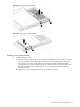
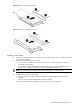
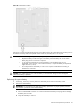
Figure 46 Removing the full-sized assembly
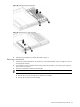
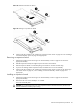
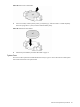
Figure 47 Removing the low-profile assembly
Installing a riser board assembly
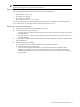
1. Install the assembly in server:
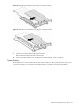
a. Align the assembly with the correct slot on the system board and firmly press the assembly into the slot.
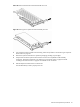
If you are reinstalling the full-sized assembly, slide the front of the assembly into place with the three
retaining tabs on the chassis. The front edge of the assembly should slide underneath the middle
retaining tab. The corners of the assembly should rest on top of the left and right retaining tabs. Then,
align the riser board connector with the expansion slot on the system board and firmly press the
assembly into the slot.
b. Tighten the two captive thumbscrews that secure the assembly to the chassis.