
ProLiant DL145 Generation 3 Server Maintenance and Service Guide

Removal and replacement procedures 36
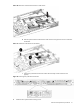
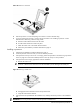
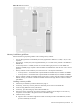
Figure 38 Inserting a processor in the processor installation tool
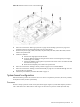
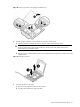
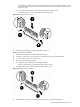
6. Use the processor installation tool to install the new processor into the socket:
a. Align the processor installation tool with the processor socket and install the processor.
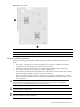
CAUTION: Make sure that the processor is properly aligned in the socket. The corner of the
processor marked with a gold triangle should align with the corner of the socket marked on the
system board with a triangular symbol.
b. Press down firmly until the installation tool clicks and separates from the processor, and then remove the
installation tool.
Figure 39 Installing a processor
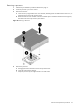
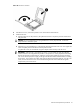
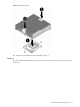
7. Secure the processor in the socket:
a. Place the socket retention bracket over the processor.
b. Push the socket retention lever back into place.