
ProLiant DL145 Generation 3 Server Maintenance and Service Guide

Removal and replacement procedures 31
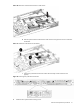
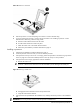
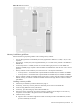
Figure 30 Placing the system board on the floor of the chassis
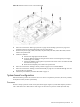
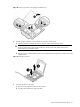
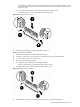
b. Slide the system board toward the back of the chassis lowering the front end as it clears the
fan bracket.
Figure 31 Sliding the system board into the chassis
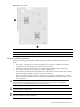
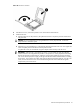
c. Position the system board so that all switches function freely and all connectors seat
properly.
Figure 32 Positioning the system board connector
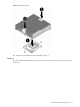
2. Install the eleven system board mounting screws.