
HP ProLiant DL145 Generation 3 Server Software Configuration Guide




System BIOS configuration 7
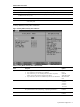
Table 1 Setup Utility navigation keys
Key Function
F9 Loads the default system values.
F10 Saves all changes to settings and closes the Setup Utility.
Setup Utility menus
The Setup Utility menu bar displays the five primary menu selections. For detailed information and screenshots of
these Setup menus and their related submenus, refer to the following sections.
NOTE: In the table following each menu screenshot, options in boldface are the system default settings.
Main menu
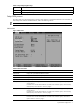
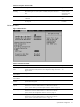
Figure 2 Main menu
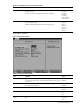
Table 2 Main menu fields
Field Description
ROM ID Info Displays the system ROM identification number.
Build Date Displays the date when the Setup utility was created.
System Time Adjusts the system time.
System Date Adjusts the system date.
Primary Master Displays the current configuration of the device connected to the master port of the primary
storage channel.
Press Enter to access the related submenu. For details on the submenu options, see the “Primary
Master/Primary Slave submenus” section on page 8.
Primary Slave Displays the current configuration of the device connected to the secondary port of the primary
storage channel.
Press Enter to access the related submenu. For details on the submenu options, see the “Primary
Master/Primary Slave submenus” section on page 8.
Boot Options Sets which options to run during system bootup.
Press Enter to access the related submenu. For details on the submenu options, see the “Boot
Options submenu” section on page 9.