
HP ProLiant DL145 Generation 3 Server Software Configuration Guide

System BIOS configuration 18
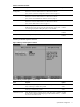
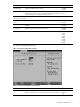
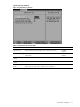
Table 13 IPMI submenu fields
Field Description Options
BIOS POST Watchdog When enabled, the system automatically reboots once the watchdog timer
count (set by the host operating system) reaches zero.
A watchdog timer triggers a system reboot if the main program detects a
faulty condition, with the goal of resuming normal operation.
Disabled
Enabled
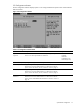
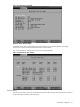
LAN Settings submenu
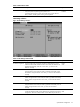
Figure 14 LAN Settings submenu
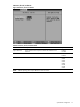
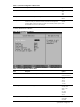
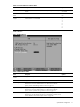
Table 14 LAN Settings submenu fields
Field Description Options
IP Address Assignment Selects the method for assigning the IP address, default gateway, and IP
subnet mask for the BMC. When this field is set to DHCP, the addresses are
populated automatically. When this is set to Static, you must enter the
addresses manually.
DHCP
Static
IP Address Selects or displays the IP address for the BMC. When the IP Address
Assignment field is set to DHCP, this field is populated automatically. When
the IP Address Assignment field is set to Static, you must enter the IP address
manually.
Default Gateway Selects or displays the default gateway address for the BMC. If the IP
Address Assignment field is set to DHCP, this field is populated automatically.
If the IP Address Assignment field is set to Static, you must enter the address
manually.
IP Subnet Mask Selects or displays the IP subnet mask for the BMC. If the IP Address
Assignment field is set to DHCP, this field is populated automatically. If the IP
Address Assignment field is set to Static, you must enter the address
manually.
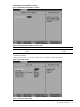
LAN Controller Selects which connection the BMC uses for the IPMI LAN interface. When set
to NIC (the default), the BMC uses the dedicated 10/100 LAN port for IPMI
management. When set to UMP, the BMC uses the GbE LAN port for NIC 2.
NIC
UMP