
HP ProLiant DL145 Generation 3 Server Software Configuration Guide

System BIOS configuration 17
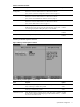
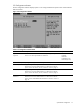
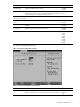
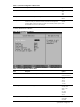
Table 12 Console Redirection submenu fields
Field Description Options
Console connection Selects whether the console is connected directly to the system or through a
modem.
Direct
Via modem
Continue C. R. after
POST
Enables console redirection after POST. Off
On
# of video pages to
support
Selects the number of video pages to allocate for console redirection when
video hardware is not available.
1
2
3
4
5
6
7
8
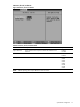
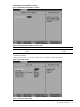
IPMI submenu
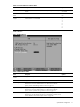
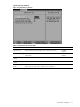
Figure 13 IPMI submenu
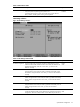
Table 13 IPMI submenu fields
Field Description Options
IPMI Specification
Version
Displays the IPMI specification version for the system.
BMC Firmware Version Displays the version of the system BMC firmware.
LAN Settings Displays the current LAN configuration settings for the BMC.
Press Enter to access the related submenu. For details on the submenu
options, see the “LAN Settings submenu” section on page 18.
System Event Log Displays the configuration settings related to the system event log.
Press Enter to access the related submenu. For details on the submenu
options, see the “System Event Log submenu” section on page 19.
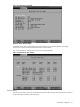
Realtime Sensor Data Displays a real-time record of system temperature and voltage.
Press Enter to view the real-time record. For an example of a real-time record,
see the “Realtime Sensor Data example” section on page 20.